On this page
Short answer
AI tools recommend companies they can clearly understand and that credible sources talk about. To get your B2B company named by ChatGPT, Gemini, Perplexity and Google’s AI answers: make sure their crawlers can read your site, state plainly what you do and for whom, publish proof they can quote, and earn mentions on the sites they already cite. Then measure with a fixed set of buyer prompts.
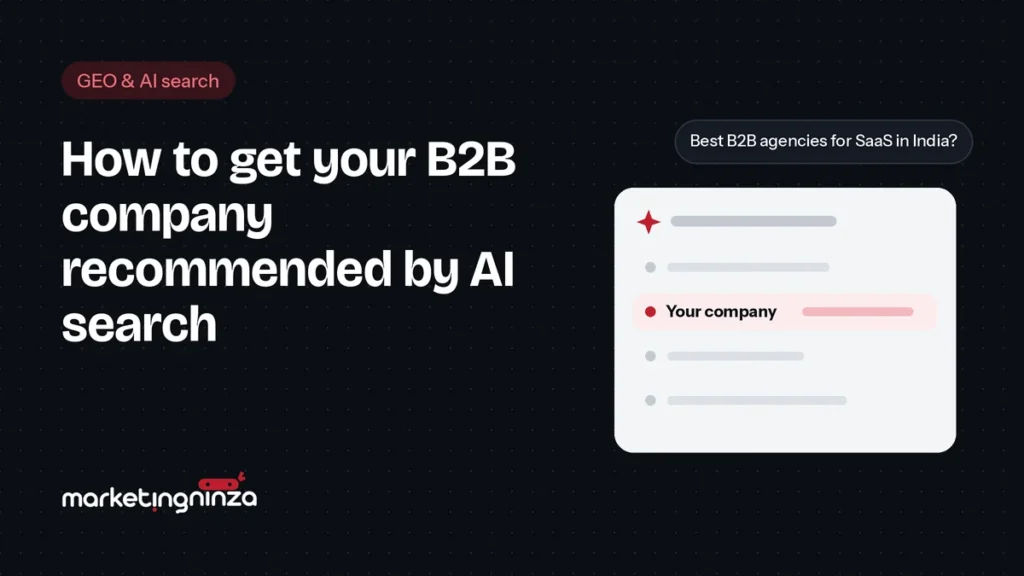
More B2B buyers now ask an AI tool for a shortlist before they speak to any supplier: “best payroll software for a 200-person company in India”, “B2B SEO agencies that work with SaaS”. If your company isn’t in that answer, you may never hear about the deal.
This is what generative engine optimization (GEO) is about. There’s a lot of noise around it, so this guide sticks to what you can actually control.
Key takeaways
- AI answers draw on two things: what the model learned in training, and what it finds in a live web search.
- You can influence both, but you can’t guarantee being recommended. Anyone who promises that is guessing.
- Clear positioning, answer-first pages and third-party mentions do most of the work.
- Measure with the same set of prompts every month, across each tool separately.
How AI tools decide which companies to mention
When a buyer asks an AI tool for recommendations, the answer comes from two places:
- Training data: what the model learned about your category from the web before its cut-off. Changing this is slow and indirect: it reflects what was written about you, everywhere, over time.
- Live search: most tools now search the web for questions like these, read the top sources and write an answer from them, often with citations. This is where changes to your site and new mentions can show up within weeks.
Each tool does this differently. ChatGPT search relies on OpenAI’s own search crawler. Perplexity fetches pages live for almost every query. Google’s AI Overviews and AI Mode draw on Google’s search index. Being cited by one doesn’t mean you’re cited by the others, so treat them separately.
Note
Results vary between sessions, users and model versions. Ask the same question twice and you may get a different shortlist. That’s why single screenshots prove very little.
Step 1: Make sure AI crawlers can read your site
Check your robots.txt and any firewall or bot-protection settings. If the crawlers that feed AI search are blocked, nothing else on this list matters.
| Crawler | Used for | Recommendation |
|---|---|---|
| OAI-SearchBot | ChatGPT search results | Allow |
| ChatGPT-User | Pages fetched when a user asks ChatGPT to read them | Allow |
| PerplexityBot | Perplexity’s search index | Allow |
| Googlebot | Google Search, including AI Overviews and AI Mode | Allow |
| GPTBot | Training OpenAI models | Your choice: blocking it doesn’t remove you from ChatGPT search |
| Google-Extended | Training Google’s Gemini models | Your choice: it doesn’t affect Google Search or AI Overviews |
Watch out
Some hosting and security plugins block AI crawlers by default. Check your server logs or firewall settings, not just robots.txt.
Step 2: Say clearly what you do, for whom
AI tools can only recommend you for things they can tell you do. Vague homepages like “we drive growth through innovative solutions” give them nothing to work with.
- One plain sentence on your homepage: what you do, for which type of company, where.
- A dedicated page for each service or product, named the way buyers search for it.
- Who you’re for, and who you’re not for, stated openly.
- The same company description on your website, LinkedIn page and directory listings.
- Organization and service structured data (schema markup) on the relevant pages.
Step 3: Write answer-first pages
AI tools quote passages that answer a question directly. Write pages the way a good expert answers in a meeting: the answer first, then the reasoning and detail.
- List the questions buyers ask before they contact a supplier. Your sales team knows them; recent enquiries and call notes reveal the rest.
- Give each important question its own page or section, with the question as the heading.
- Answer in the first two or three sentences, then support it with specifics, examples and numbers.
- Keep facts current. Update prices, features and dates, and show when the page was last updated.
Example
A short “What does a B2B lead generation agency do?” section that answers in two sentences, then explains channels, timelines and costs, is far easier for an AI tool to quote than a 3,000-word article that gets to the point halfway down.
Step 4: Earn mentions where AI tools look
AI tools lean heavily on what other credible sources say about you. For B2B, that usually means:
- Review and directory sites relevant to your category, such as G2, Capterra or Clutch, with complete, current profiles.
- Industry publications and business media, through expert comments and bylined articles.
- Comparison and “best of” articles in your category: make sure the authors have accurate information about you.
- Communities and discussion sites where buyers ask for recommendations, such as Reddit or industry forums, through genuine participation, not spam.
- Podcasts and LinkedIn, especially for founder-led companies: what your founder says publicly becomes part of how you’re described.
AI tools don’t take your word for it. They take everyone else’s.
Step 5: Measure it properly
Pick 20 to 30 prompts your buyers would realistically ask, covering your category, your use cases and comparisons with competitors. Run them every month in each tool and record:
| Measure | What it tells you |
|---|---|
| Share of prompts where you’re named | Your visibility, tracked as a trend |
| How you’re described | Whether the AI understands your positioning correctly |
| Which sources are cited | Where you need to be present or correct information |
| Referral traffic from AI tools | Visits from chatgpt.com, perplexity.ai and others, in your analytics |
| Enquiries mentioning AI search | The outcome that matters: ask “how did you find us?” |
Tip
Add “ChatGPT or another AI tool” as an option in the “How did you hear about us?” field on your forms. It’s the simplest way to see whether GEO is producing enquiries.
Frequently asked questions
Can you pay to be recommended by ChatGPT?
Not in the organic answers. Treat anyone selling “guaranteed ChatGPT placement” with suspicion. Ads in AI tools, where they exist, are separate and labelled.
Is GEO different from SEO?
It builds on SEO. Pages that rank well and answer questions clearly are also what AI search tools read. GEO adds a stronger focus on clear positioning, quotable answers and third-party mentions.
How long does GEO take to work?
Changes to your own site can appear in live-search answers within weeks. Shifting what models say from their training data, and earning mentions elsewhere, takes months.
Should we block AI crawlers to protect our content?
Blocking training crawlers like GPTBot or Google-Extended is a reasonable choice and doesn’t remove you from AI search. Blocking search crawlers like OAI-SearchBot or PerplexityBot does.
This is the work our generative engine optimization service does, alongside B2B SEO, which it builds on.
Want to know what AI tools say about you today?
Book a free pipeline audit. We test the questions your buyers ask in ChatGPT, Gemini, Perplexity and Google, and show you where you stand.
Book a free pipeline audit